
Cloud inventory
An extra storage of the character with 500 cells. It is kept apart from the bags and opens anywhere — no need to run to the warehouse.
How to open it
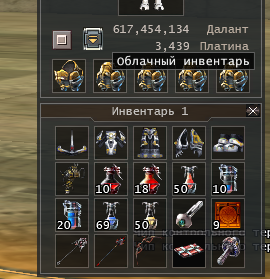
The inventory window has a "Cloud inventory" button next to the money.
Who can use it
- The cloud inventory is for premium accounts.
- 100 cells are open at once. The other 400 open once per account for shop points.
- If premium ends, the items stay in the cloud: the window opens again once premium is renewed.
The window
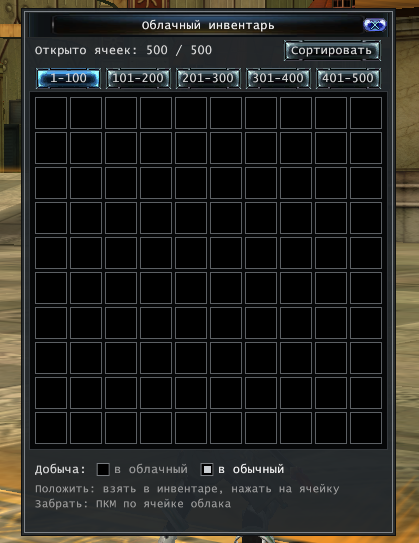
- At the top — how many cells are open.
- The cells are on five pages of 100: "1–100", "101–200" … "401–500".
- "Sort" puts the items in order.
Putting items in and taking them out
- Put in: pick the item up in the inventory and click a cloud cell. Dragging works too: the item goes to the cell you drop it on.
- Take out: right-click a cloud cell — the item goes to the inventory. Or drag it out of the cloud window.
Where the loot goes
The bottom of the window has "Loot: to the cloud / to the bag". Choose where picked-up loot goes: straight to the cloud or, as usual, to the bag.
What cannot go to the cloud
Quest and bound (non-tradable) items, MAU keys, event items, temporary and locked items.
The server makes every move and records each one, so items in the cloud are neither lost nor duplicated.